If you have read many of these posts, then you know I like to stay home and take pictures in my own yard. I never seem to run short of subject matter. Today is one of those days that makes you glad you live in the South. Not even St. Patrick's day yet and the temperature is almost 80. Instead of piling in the car and joining the crowd, I decided to stay home and shoot pictures in my back yard. Here is what I saw.
Click on any picture for a larger image:
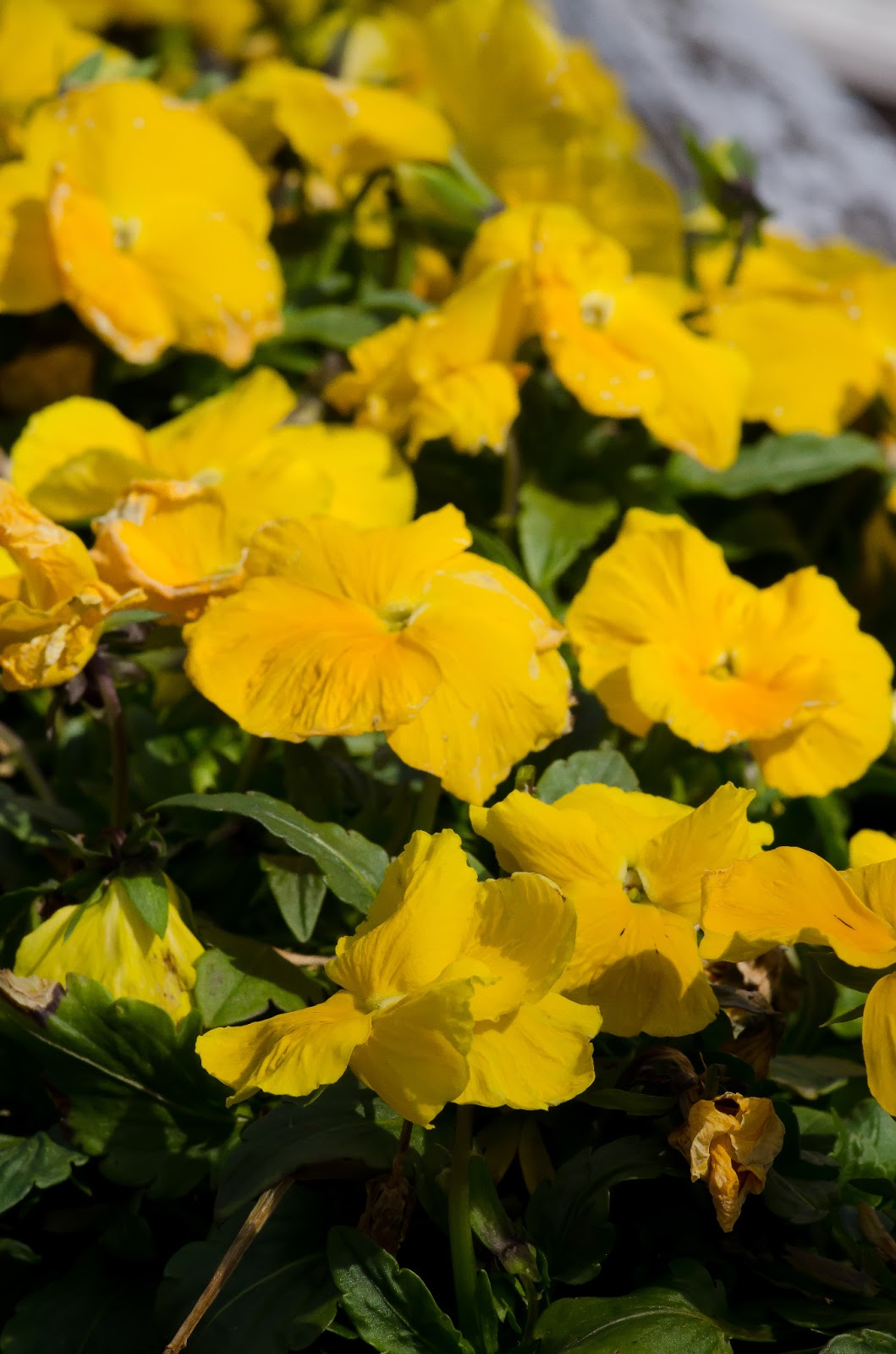
Yellow Pansies:
Dill starting to emerge:
Heirloom lettuce growing in plastic containers:
Peach trees in full bloom:
Radishes ready to pick soon:
The bird already left this nest:
Spring is a great time for photography, so grab your camera and get out of the house.
Visit my website: keithlewisphoto.com
Like us on Facebook: facebook.com/KeithLewisPhotography
Follow me on Twitter: https://twitter.com/KeithLewisPhoto
Saturday, March 16, 2013
Saturday, March 9, 2013
"Spring is busting out all over"
Seems odd since my last blog post was about an unexpected winter storm that dumped six inches of snow on us. Well welcome to the South. Like my Daddy always said, if you don't like the weather here (the Piedmont of NC) then wait a day or two. Actually the snow was gone in a day and a week later it was in the sixties. Today was one of those great days in early March that makes you want to plant something. Bright sun, no wind, temperature in the mid sixties and so many people out walking or jogging that it is hard to drive a car through a neighborhood.
I took advantage of the day to take a few pictures in my back yard. It started because the pussy willows are bursting their buds with that familiar tuft of softness and I wanted a good close-up of them. I grabbed my camera and a 100 mm macro lens and proceeded to take lots of pictures. Then I turned my macro lens on my garden. I ended up with a handful of decent shots that I thought I would share.
click on any picture for a larger image:
I will start off with the reason I went outside with my camera in the first place - pussy willow (salix discolor)
These are some mixed salad greens:
Radishes are starting to sprout...won't be long now:
This is baby kale, great in soups or salads:
More mature kale is good in soups, sauteed or even made into chips in the oven:
Peas emerging from the soil thanks to warm weather:
Even the Bonsai tree is putting out new shoots for Spring:
Spring is a great time for photography, so grab your camera and get out of the house.
Visit my website: keithlewisphoto.com
Like us on Facebook: facebook.com/KeithLewisPhotography
Follow me on Twitter: https://twitter.com/KeithLewisPhoto
I took advantage of the day to take a few pictures in my back yard. It started because the pussy willows are bursting their buds with that familiar tuft of softness and I wanted a good close-up of them. I grabbed my camera and a 100 mm macro lens and proceeded to take lots of pictures. Then I turned my macro lens on my garden. I ended up with a handful of decent shots that I thought I would share.
click on any picture for a larger image:
I will start off with the reason I went outside with my camera in the first place - pussy willow (salix discolor)
These are some mixed salad greens:
Radishes are starting to sprout...won't be long now:
This is baby kale, great in soups or salads:
More mature kale is good in soups, sauteed or even made into chips in the oven:
Peas emerging from the soil thanks to warm weather:
Even the Bonsai tree is putting out new shoots for Spring:
Spring is a great time for photography, so grab your camera and get out of the house.
Visit my website: keithlewisphoto.com
Like us on Facebook: facebook.com/KeithLewisPhotography
Follow me on Twitter: https://twitter.com/KeithLewisPhoto
Tuesday, February 19, 2013
Snow Day
I live in the Southern United States - North Carolina to be exact and we rarely get snow where I live. When we do get a blanket of the white stuff, no matter how small of a dusting, it is a pretty big deal. My relatives in Florida understand, my friends in Chicago, not so much.
We got a somewhat unexpected blizzard this past Sunday that left a few inches of snow covering everything. With this being such a rare event around here, I, like millions of other southerners grabbed my camera and headed outside. I had a few hours because it started melting as soon as the sun came up and by 5:00 PM it was almost all gone.
Taking pictures in the snow is not easy. I had some successes and some abysmal failures, but all photographers know that nobody else ever sees your failures.
Here are a few that came out pretty good. I'll share a few tips that may or may not help next time you decide to take a "snow day"
Click on any picture for a larger image:
I took the above shot with a wide angle lens, I did a few things that helped it turn out pretty good. I like the bush in the foreground as scale reinforcement, sometimes in a wide angle shot everything gets "lost" in all the space, so if you can include a foreground object it can help. Also the sun through the branches was nice. The dog also adds scale.
Get close to your subject. Snow and ice can be very interesting close-up subjects. These were taken with a 100mm macro lens.
Pay attention to white balance. If your camera has automatic white balance, sometimes, snow, or white sand can mess with its mind and give you some weird results. I played with some different settings and found direct sun to be the best setting. Several of these were shot on different settings and are a little too blue. This could easily be fixed in Photoshop, but why not save yourself the trouble and get it perfect in camera?
Don't always trust your camera's auto setting. Consider going manual and expose for the subject that you really want to see. I loved the way this tree was lit by the sun, but it didn't stand out enough with auto. I exposed for the tree manually and the rest fell into place.
Keep an eye out for interesting shapes made more interesting by the snow. This is a piece of lattice on my deck that reminded me of a honeycomb.
Or the juxtaposition of this Japanese lantern, lit by the rising sun, hanging from my deck, in front of the winter wonderland created by the snowy trees in the background.
No matter what the weather conditions are where you live, I'll bet there are plenty of opportunities for some great picture taking.
Visit my website: keithlewisphoto.com
Like us on Facebook: facebook.com/KeithLewisPhotography
Follow me on Twitter: https://twitter.com/KeithLewisPhoto
We got a somewhat unexpected blizzard this past Sunday that left a few inches of snow covering everything. With this being such a rare event around here, I, like millions of other southerners grabbed my camera and headed outside. I had a few hours because it started melting as soon as the sun came up and by 5:00 PM it was almost all gone.
Taking pictures in the snow is not easy. I had some successes and some abysmal failures, but all photographers know that nobody else ever sees your failures.
Here are a few that came out pretty good. I'll share a few tips that may or may not help next time you decide to take a "snow day"
Click on any picture for a larger image:
I took the above shot with a wide angle lens, I did a few things that helped it turn out pretty good. I like the bush in the foreground as scale reinforcement, sometimes in a wide angle shot everything gets "lost" in all the space, so if you can include a foreground object it can help. Also the sun through the branches was nice. The dog also adds scale.
Get close to your subject. Snow and ice can be very interesting close-up subjects. These were taken with a 100mm macro lens.
Pay attention to white balance. If your camera has automatic white balance, sometimes, snow, or white sand can mess with its mind and give you some weird results. I played with some different settings and found direct sun to be the best setting. Several of these were shot on different settings and are a little too blue. This could easily be fixed in Photoshop, but why not save yourself the trouble and get it perfect in camera?
Don't always trust your camera's auto setting. Consider going manual and expose for the subject that you really want to see. I loved the way this tree was lit by the sun, but it didn't stand out enough with auto. I exposed for the tree manually and the rest fell into place.
Keep an eye out for interesting shapes made more interesting by the snow. This is a piece of lattice on my deck that reminded me of a honeycomb.
Or the juxtaposition of this Japanese lantern, lit by the rising sun, hanging from my deck, in front of the winter wonderland created by the snowy trees in the background.
No matter what the weather conditions are where you live, I'll bet there are plenty of opportunities for some great picture taking.
Visit my website: keithlewisphoto.com
Like us on Facebook: facebook.com/KeithLewisPhotography
Follow me on Twitter: https://twitter.com/KeithLewisPhoto
Monday, February 11, 2013
Seeing the Pattern
Life is full of patterns, especially in nature. Everywhere you look, even peering into a microscope, the scientist is greeted by the patterns of cell structure. The everyday building blocks of the creator are seen vividly all around us. All we have to do is look for them.
The same goes for photography. Patterns can make a photo very visually appealing. The patterns are usually there, all we have to do is look for them.
Here are a few of my favorite shots that include patterns, sometimes overt and other times subtle.
Click on any photo for a larger image:
Thanks for looking. The next time you are out shooting, open both eyes and look for the patterns.
Visit my website: keithlewisphoto.com
Like us on Facebook: facebook.com/KeithLewisPhotography
Follow me on Twitter: https://twitter.com/KeithLewisPhoto
The same goes for photography. Patterns can make a photo very visually appealing. The patterns are usually there, all we have to do is look for them.
Here are a few of my favorite shots that include patterns, sometimes overt and other times subtle.
Click on any photo for a larger image:
Thanks for looking. The next time you are out shooting, open both eyes and look for the patterns.
Visit my website: keithlewisphoto.com
Like us on Facebook: facebook.com/KeithLewisPhotography
Follow me on Twitter: https://twitter.com/KeithLewisPhoto
Monday, February 4, 2013
Making it better
Recently I shot a quick photo of a street in downtown Kannapolis, NC. It was a nice little photo, kind of like a snapshot taken with a cell phone while standing on the side of the road. Imagine my surprise when the Kannapolis Business Alliance contacted me and wanted to use my photo on their official Facebook page. A deal was struck and the shot now resides as the Alliance's cover photo.
I always thought the shot could be enhanced by a little tweaking and decided to give it a try.
Here is the original as shot:
Not bad but it has lots of problems, some of which can be fixed with a small tweak or two in any post processing software. I use Lightroom and Photoshop which are both Adobe products, but I am in no way endorsing Adobe or any other software.
First thing is the street. It is too bright and draws the eye away from the buildings. Using the brush tool, I darkened the street.
Now the sky looks washed out and could use a little saturation. Instead of just saturating the sky, I bumped up the contrast on the whole picture, then saturated the buildings' color. Then using the brush tool, I saturated the sky even more. Finally, I brightened the exposure on the whole picture just a little to make things pop.
Next, I cropped the top and bottom slightly to enhance the wide feel of the street. I also enhanced and brightened the marquee of the theater so the Gem sign stands out a little more.
Still seems a little dark, so I brightened the entire picture and using the brush tool, I brightened the orange sign above the blue car and also brightened the entrance to the theater.
The one thing marring the shot now, are those two cars.
The only thing left is to get rid of the cars. Using the clone tool, I removed the cars and this is the finished product.
I also removed an orange cone and a TV antenna.
So even if you don't photoshop your shots, always be on the lookout for a better angle or camera setting to use. In this case, a little more planning, such as waiting for a different time of day, or for the cars to leave, might have saved a lot of post processing time.
Visit my website: keithlewisphoto.com
Like us on Facebook: facebook.com/KeithLewisPhotography
Follow me on Twitter: https://twitter.com/KeithLewisPhoto
I always thought the shot could be enhanced by a little tweaking and decided to give it a try.
Click on any photo for a larger image.
Here is the original as shot:
Not bad but it has lots of problems, some of which can be fixed with a small tweak or two in any post processing software. I use Lightroom and Photoshop which are both Adobe products, but I am in no way endorsing Adobe or any other software.
First thing is the street. It is too bright and draws the eye away from the buildings. Using the brush tool, I darkened the street.
Now the sky looks washed out and could use a little saturation. Instead of just saturating the sky, I bumped up the contrast on the whole picture, then saturated the buildings' color. Then using the brush tool, I saturated the sky even more. Finally, I brightened the exposure on the whole picture just a little to make things pop.
Next, I cropped the top and bottom slightly to enhance the wide feel of the street. I also enhanced and brightened the marquee of the theater so the Gem sign stands out a little more.
Still seems a little dark, so I brightened the entire picture and using the brush tool, I brightened the orange sign above the blue car and also brightened the entrance to the theater.
The one thing marring the shot now, are those two cars.
I
The only thing left is to get rid of the cars. Using the clone tool, I removed the cars and this is the finished product.
I also removed an orange cone and a TV antenna.
So even if you don't photoshop your shots, always be on the lookout for a better angle or camera setting to use. In this case, a little more planning, such as waiting for a different time of day, or for the cars to leave, might have saved a lot of post processing time.
Visit my website: keithlewisphoto.com
Like us on Facebook: facebook.com/KeithLewisPhotography
Follow me on Twitter: https://twitter.com/KeithLewisPhoto
Wednesday, January 2, 2013
Tokina 100mm f2.8 Macro
Happy New Year. I hope everyone's 2013 has started out great and that you have been taking lots of pictures. I know a lot of you got cameras or photo related gifts for Christmas, so I plan to do a few posts in the next several weeks about getting the most out of your equipment.
Also look for the "Photo of the Week" this is a feature that I plan on including in the blog each week to focus on a shot of mine and help explain where I was, and what I was thinking when I took the picture, as well as all the usual technical mumbo-jumbo.
As I mentioned in my previous post, the week before Thanksgiving I picked up a couple of new lenses. Today I am posting a review of the Tokina 100mm f2.8 Macro.
Click on any picture for a larger image
Unimaginative, I know, but I promise to post more actually good shots taken with this lens.
In Summary, this is a great lens for portraits and nature close-ups as well. Anyone looking to take their photography to the next level, should look into getting a really good macro lens, and the first place to look should be at the Tokina 100mm f2.8.
Visit my website: keithlewisphoto.com
Like us on Facebook: facebook.com/KeithLewisPhotography
Follow me on Twitter: https://twitter.com/KeithLewisPhoto
Also look for the "Photo of the Week" this is a feature that I plan on including in the blog each week to focus on a shot of mine and help explain where I was, and what I was thinking when I took the picture, as well as all the usual technical mumbo-jumbo.
As I mentioned in my previous post, the week before Thanksgiving I picked up a couple of new lenses. Today I am posting a review of the Tokina 100mm f2.8 Macro.
Click on any picture for a larger image
The full name of this beauty is Tokina AT-X PRO D 100mm f2.8 MACRO
For starters, this is a really great DX format aftermarket Macro lens. It focuses fast and sharp without a lot of in and out movement. At just 60% of a Nikon brand "Micro" lens, it is a bargain without giving up much in the way of features or performance. I have tried Tamron, Tokina, Nikon, and Sigma Macro lenses, and I will say that if you want f2.8 glass for less than $1000, this is your lens.
It feels substantial in your hand and couples smoothly and quickly to both my D90 and my D7000 bodies.
If there is a drawback, it could be that the focus is a little noisy, which I find with all Tokina lenses I have tried, but that is not a big deal, especially since the focus is so fast and accurate.
Here are a few sample shots I took of the box on my dining room table.
In Summary, this is a great lens for portraits and nature close-ups as well. Anyone looking to take their photography to the next level, should look into getting a really good macro lens, and the first place to look should be at the Tokina 100mm f2.8.
Visit my website: keithlewisphoto.com
Like us on Facebook: facebook.com/KeithLewisPhotography
Follow me on Twitter: https://twitter.com/KeithLewisPhoto
Saturday, November 24, 2012
Tokina 11-16 Review
The week before Thanksgiving I picked up a couple of new lenses. I always cruise the Craig's List ads for photo and video looking for good deals and I have found quite a few. The gentleman selling these lenses had switched to FX format (full frame sensor in Nikon language) and didn't need the DX lenses so he was listing them for a really good price. They even had the original boxes so how could you go wrong. I haven't had a lot of time to shoot with them, but I thought I would do a preliminary review on the 11-16 mm super wide zoom.
The full name of this lens is Tokina AT-X 116 Pro DX II
It comes with a petal style hood
It is a solid piece of glass and quite heavy. That could be a turn off for some, but really if you are buying this lens then you have a special need for it such as real estate, or group portraits. it zooms very smoothly and focuses fast. There is a little noise in the focus motor but not a big deal in nearly all settings. It has the Tokina push-pull ring to switch from auto to manual focus and I really like that feature. No fumbling for a little switch to change to manual focus.
The lens is very sharp with not as much distortion as you would expect at 11mm. Keep in mind again, it is a DX lens with a crop factor on a Nikon of 1.4, Canon would be 1.5 if I am remembering correctly.
Below is a picture of my parlor which is about 10' X 10' taken with the Tokina at 11mm with no distortion correction, straight as shot in camera:
Below is the same shot of the room with the 18-55mm kit lens standing in the same spot zoomed out to 18mm:
You can see the benefits for real estate work.
Just for reference, below is the same shot taken from the same place with a 35mm prime:
Another big plus is the fact that this lens is f 2.8 so I expect it to really shine in low light situations (no pun intended).
Other than the weight, one other drawback is the fact that it takes 77mm filters and I don't have anything else that takes that size.
The other drawback is that due to the size of the lens, it casts a shadow on the floor if you use the on-camera flash.
So to sum it up, if you have a need for a super wide angle lens, check out the Tokina 11-16 mm f2.8 Pro DX II. It is a very solid, smooth working lens. A lot of glass for the money
Especially if you can find a good deal on Craig's List
Visit my website: keithlewisphoto.com
Like us on Facebook: facebook.com/KeithLewisPhotography
Follow me on Twitter: https://twitter.com/KeithLewisPhoto
The full name of this lens is Tokina AT-X 116 Pro DX II
It comes with a petal style hood
It is a solid piece of glass and quite heavy. That could be a turn off for some, but really if you are buying this lens then you have a special need for it such as real estate, or group portraits. it zooms very smoothly and focuses fast. There is a little noise in the focus motor but not a big deal in nearly all settings. It has the Tokina push-pull ring to switch from auto to manual focus and I really like that feature. No fumbling for a little switch to change to manual focus.
The lens is very sharp with not as much distortion as you would expect at 11mm. Keep in mind again, it is a DX lens with a crop factor on a Nikon of 1.4, Canon would be 1.5 if I am remembering correctly.
Below is a picture of my parlor which is about 10' X 10' taken with the Tokina at 11mm with no distortion correction, straight as shot in camera:
Below is the same shot of the room with the 18-55mm kit lens standing in the same spot zoomed out to 18mm:
You can see the benefits for real estate work.
Just for reference, below is the same shot taken from the same place with a 35mm prime:
Another big plus is the fact that this lens is f 2.8 so I expect it to really shine in low light situations (no pun intended).
Other than the weight, one other drawback is the fact that it takes 77mm filters and I don't have anything else that takes that size.
The other drawback is that due to the size of the lens, it casts a shadow on the floor if you use the on-camera flash.
So to sum it up, if you have a need for a super wide angle lens, check out the Tokina 11-16 mm f2.8 Pro DX II. It is a very solid, smooth working lens. A lot of glass for the money
Especially if you can find a good deal on Craig's List
Visit my website: keithlewisphoto.com
Like us on Facebook: facebook.com/KeithLewisPhotography
Follow me on Twitter: https://twitter.com/KeithLewisPhoto
Subscribe to:
Posts (Atom)


